

When payment receipt or credit memos are posted and applied to the sales invoice, this app will link the received or credited amount to the sales invoice and calculate the commission amount. Make sure that you have assigned the APESALESCOMMISSION permission sets to the users that will be processing commissions.
Calculate Sales Commissions #
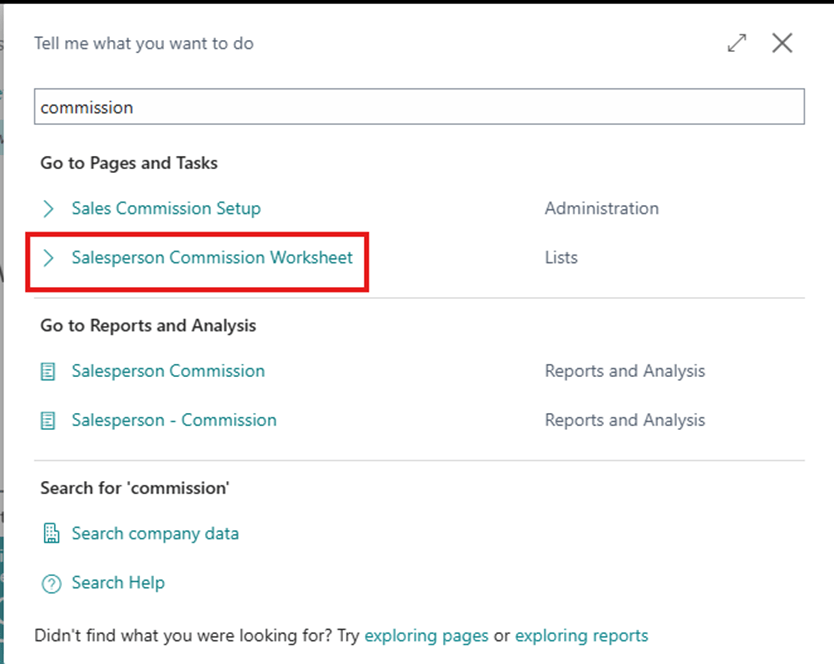
- Choose the icon that opens the Search feature, enter Salesperson Commission Worksheet and select the related link to bring up the Salesperson Commission Worksheet.
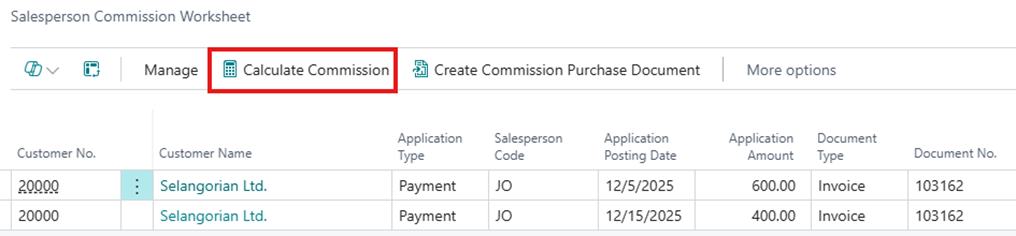
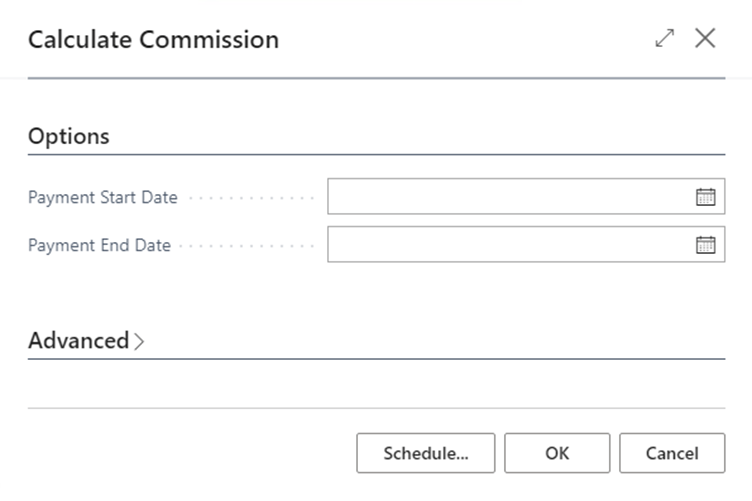
- Select the Calculate Commission action, enter the Payment Start Date and Payment End Date on the request page then select OK.
- The process will generate new entries with commission amount reference to related payment amount. The explanation of the fields will be detailed in the Appendix section.
Commission on Order #
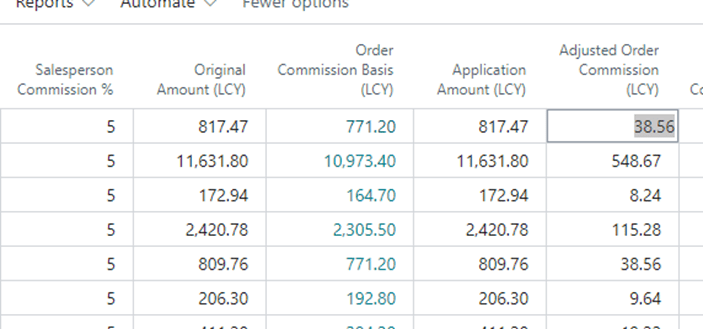
If you calculate the commission based on the order, you should edit the following:
- Salesperson Commission % – The commission % for the order
- Adjust Order Commission (LCY) – The commission that’s calculated based on the cash applied to the invoice and what’s commissionable. This is the amount that will be used to create the commission purchase document.
Commission on Items #
If you calculate the commission based on the line items, you should edit the following:
- Drill down into the Adjusted Line Commission (LCY) to look at the line commissions that are calculated for the order.
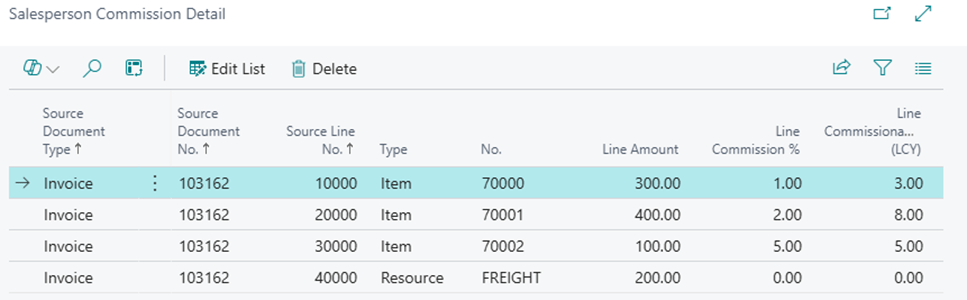
- Line Commission % – The commission that’s associated with the Item, Resource, G/L Account, and Fixed Assets
- Adjusted Line Commission (LCY) – The commission amount that’s calculated based on the cash applied to the invoice and what is commissionable on the line. This is the amount that will be used to create the commission purchase document.
Creating the Commission Purchase Documents #
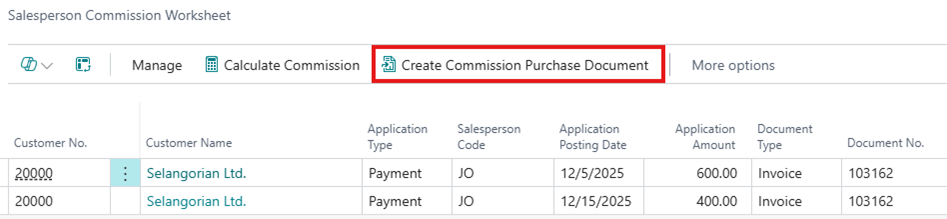
When you are ready to create a commission Purchase document, select the Create Commission Purchase Documents action.
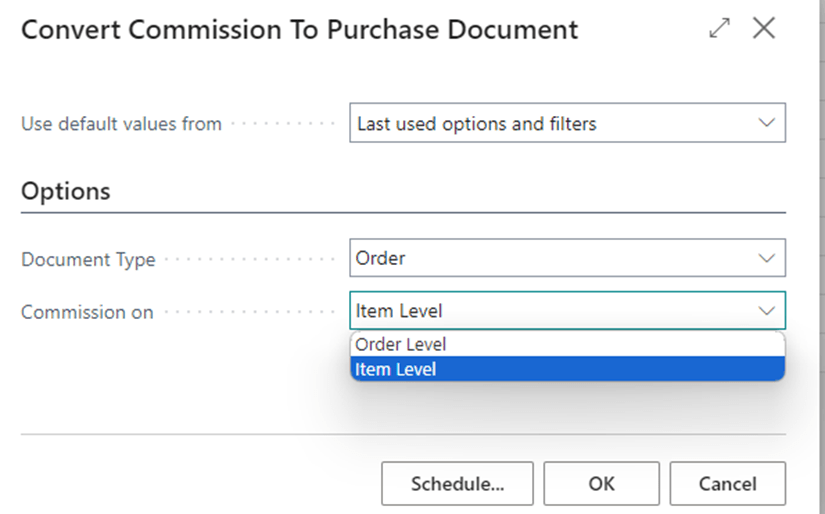
Select the Document Type for the Commission Purchase document and whether commission is paid on the Order Level or the Item Level on the Commission On field.
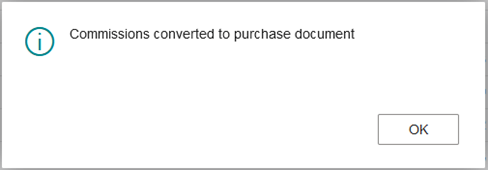
Once complete, the following message will appear.
Find Entries #
This Action group will show you source documents associated with the commissions.

- Show Document
- This will show records associated with the value in the Document No. field. This is the source document on which the commission is calculated from.
- Show Application Document
- This will show records associated with the Application Document No. field. This is the application document that is used to apply to the source document. This is typically a payment or a credit memo.
Reports #
Reports that print commission information are in the Reports action group:
- Commission by Order
- This report displays the commissions for each order. Typically used if you pay your commission based on the Commission % defined on the salesperson card.
- Commission by Item
- This report displays the commissions for each line item. Typically used if you pay your commission based on the Commission % defined on the item, resource, etc.
Case Example – Commission Calculated on Order #
In this example, the sales commission is calculated based on the order.
The commission will be calculated based on the following example:
| Invoice Amount = $1,000 |
| Salesperson Commission % = 5% |
| ItemA = $300 |
| ItemB = $400 |
| ItemC = $100 |
| Freight / Sales Taxes = $200 |
If the customer pays $600 for this invoice in November, the commission in November will be:
| Application Percentage = $600 / $1,000 = 60% |
| ItemA = $300 * 60% * 5% = $9.00 |
| ItemB = $400 * 60% * 5% = $12.00 |
| ItemC = $100 * 60% * 5% = $3.00 |
The total commission for the invoice for November would be $24.00.
If the customer pays the remainder of the invoice in December, the calculation will follow the same format and the commission calculated will be for December based on 40% of the Commissionable %.
The commission calculated will be rounded to the nearest number.
Case Example – Commission Calculated on Item #
In this example, the sales commission is calculated based on the individual item commission %.
The commission will be calculated based on the following example:
| Invoice Amount = $1,000 |
| ItemA = $300 @ 1% commission |
| ItemB = $400 @ 2% commission |
| ItemC = $100 @ 5% commission |
| Freight / Sales Taxes = $200 |
If the customer pays $600 for this invoice in November, the commission will be:
| Application Percentage = $600 / $1,000 = 60% |
| ItemA = $300 * 60% * 1% = $1.80 |
| ItemB = $400 * 60% * 2% = $3.60 |
| ItemC = $100 * 60% * 5% = $3.00 |
The total commission for the invoice for November would be $10.50.
If the customer pays the remainder of the invoice in December, the calculation will follow the same format and the commission calculated will be for December based on 40% of the Commissionable %.
The commission calculated will be rounded to the nearest number.


