The Freight Container Receiving Management app introduces a streamlined process for managing the receipt of overseas freight containers. Designed to improve visibility, accuracy, and efficiency in receiving goods, this app helps purchasing and warehouse teams easily handle complex inbound logistics.
Here’s what makes it different:
Build Containers from Multiple Purchase Orders. – Easily consolidate lines from multiple purchase orders into a single container.
Invoice Item Charges at the Container Level. – Create and manage item charge invoices—such as freight, duty, or customs—directly from the container.
Receive Items by Bill of Lading. – Process receipts based on the Bill of Lading instead of by individual purchase orders.
Track Container Contents for Warehouse Receiving. – Maintain visibility of all items loaded into a container and their receipt status.
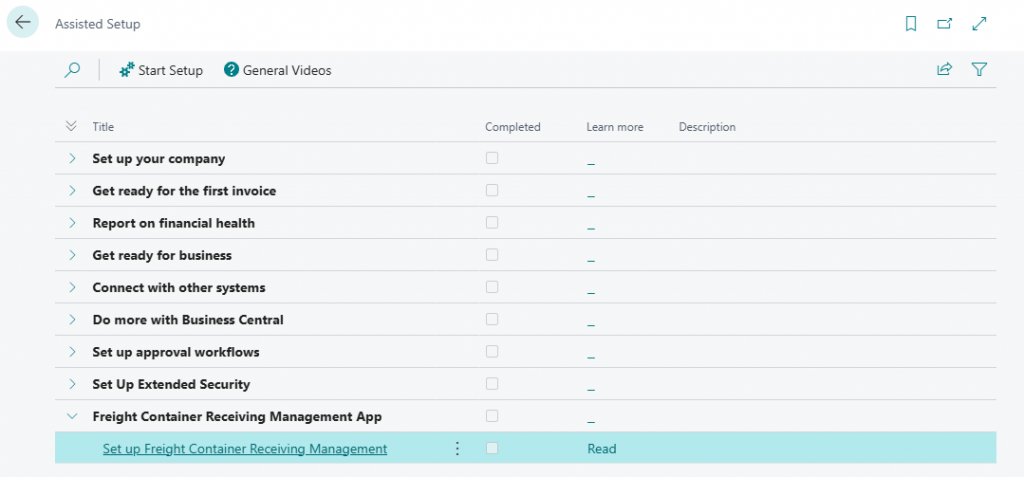
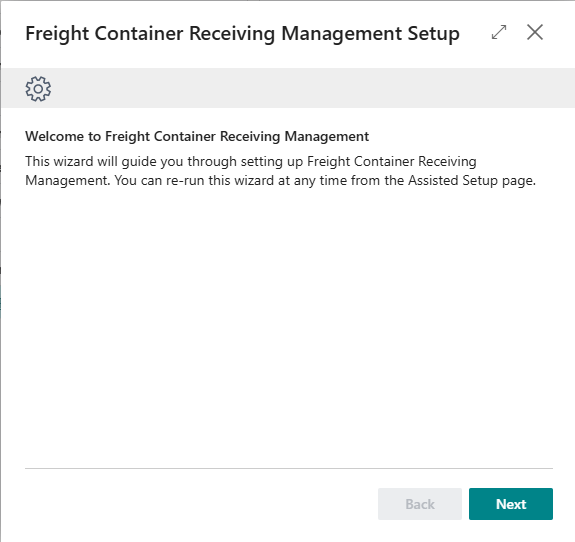
Read the introduction: “This wizard will guide you through setting up Freight Container Receiving Management. You can re-run this wizard at any time from the Assisted Setup page.”
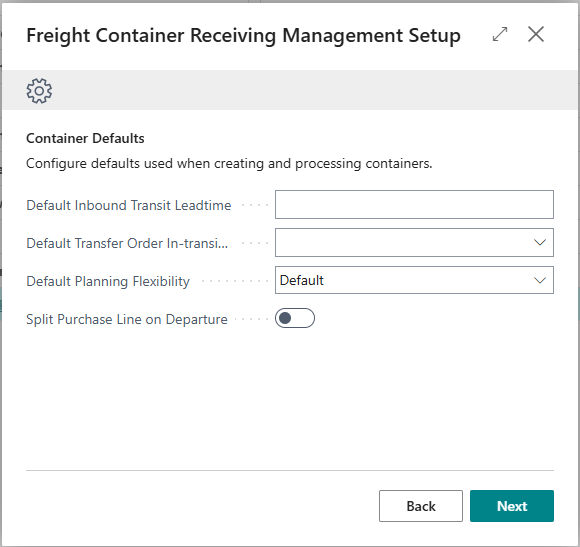
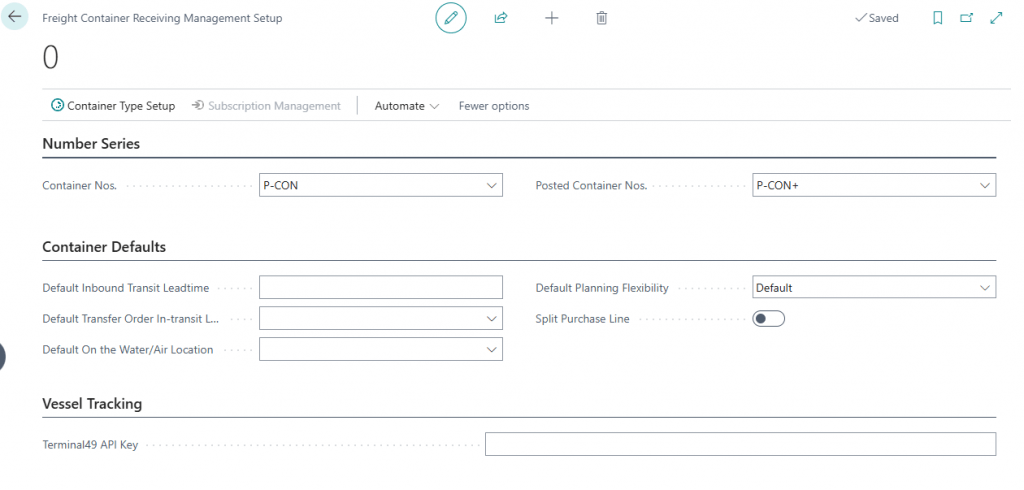
In Default Inbound Transit Leadtime, enter a date formula (e.g., 10D) to calculate the Estimated Receipt Date based on the Vessel Arrival Date. Leave blank to skip.
In Default Transfer Order In-transit Location, select the location code used as the in-transit stop when transferring inventory to the final destination.
In Default Planning Flexibility, choose the default planning flexibility for container lines (e.g., Unlimited or None).
Set Split Purchase Line on Departure to enabled if purchase order lines should be split into multiple lines when container departure is processed.
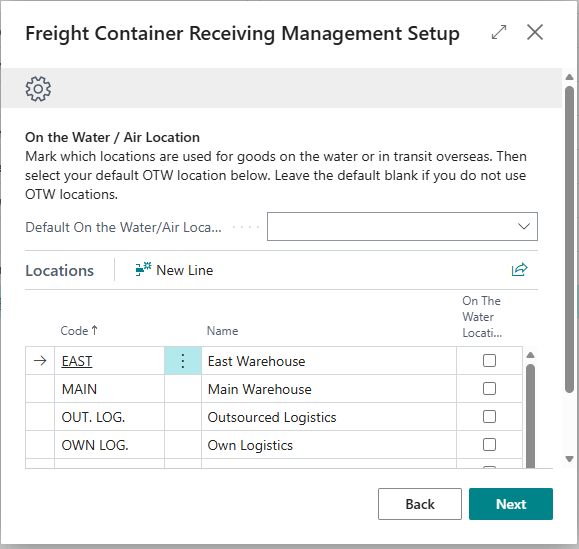
In the Locations list, create a new location with the On the Water/Air toggle enabled or enable the On the Water/Air toggle for an existing location that represents goods in overseas transit.
In the Default On the Water/Air Location field, select the location code that should be used by default. Leave blank if you do not use OTW locations.