
Overview If you’ve spent any time managing inbound freight containers in Business Central, you know the receiving process has a lot of moving parts. You’re tracking quantities, managing carrier information, and making sure everything lines up before the container can be posted and inventory can move. Two things in that process have been causing unnecessaryRead more
Category Archives: Dynamics 365 Business Central
Overview If you’ve ever managed inbound freight containers, you know the receiving process rarely stops at “the container is here.” Someone still has to sit down, pull up the record, and assign it to its final warehouse location before anyone can actually put it away. One of the most common frustrations we hear from warehouseRead more
AppSource, Dynamics 365 Business Central, Inventory
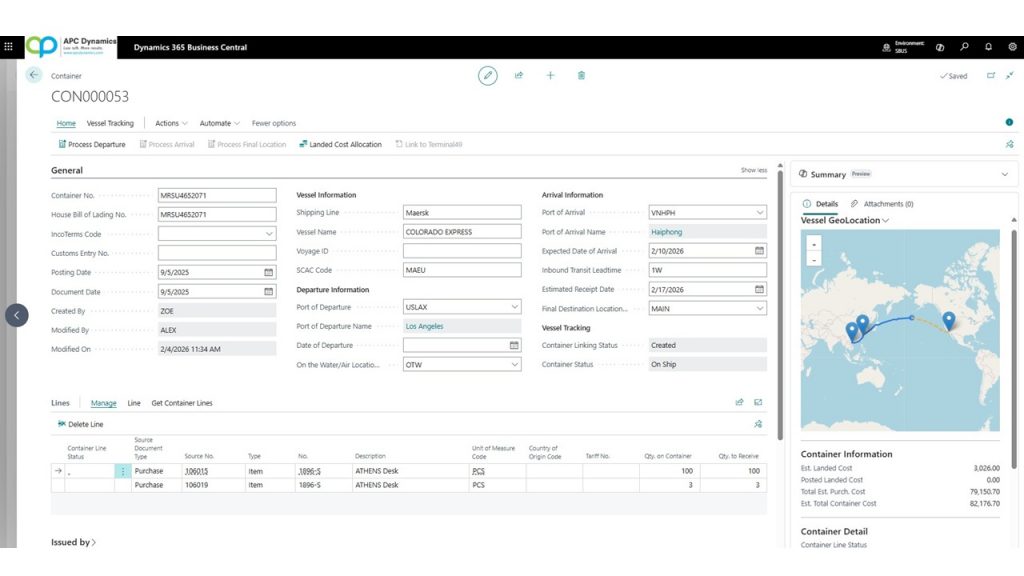
Real-Time Tracking of your Freight Containers in Dynamics 365 Business Central
05
Feb
Feb
Overview If you import goods, you already know the most frustrating part of container management isn’t receiving the inventory. It’s waiting for it. One of the biggest frustrations I hear from salespeople and production managers isn’t about posting receipts or matching invoices like the accounting staff. It’s much earlier than that. It’s the simple questionRead more
Overview For customers who buys products from their oversea vendors, the items they bought are typically loaded up on to the container and put on a freight vessel bound to their destinations. While this sounds simple, there are a lot of little details associated on getting this done. A small list of the challenges thatRead more
Overview In standard Dynamics 365 Business Central, if you enabled the Lot Warehouse Tracking in the Item Tracking Codes, you’re able to see a nice breakdown of what’s in the Bins when you go to the Bin Contents page: You can show this factbox using the Personalize tool in the Setup page. The Serial NumberRead more
Overview We’ve noticed a recurring question from customers: “We downloaded the app but we still don’t see it in Business Central.” If you’ve found yourself in a similar situation, you’re not alone. This common confusion stems from a crucial step that is often overlooked in the process of setting up the app. In this blogRead more
We’re excited to introduce the latest updates to our Freight Container Management app for Dynamics 365 Business Central. Our mission has always been to make container management a breeze for businesses dealing with overseas vendors. With these new enhancements, we’re taking efficiency to a whole new level. Let’s dive into the exciting features: 1. MultipleRead more
Overview The progress payment functionality allows you to post multiple deposits against a sales or purchase order. The amount of the deposit payment can be any amount you want instead of a percentage. When the invoices are posted, you can choose whatever dollar amount to be applied to each posting of the order. This meansRead more
Overview In standard Dynamics 365 Business Central, there’s an Over Receipt functionality that allows the warehouse to receive more than what was actually ordered on a purchase order. This is helpful in scenarios where a vendor sends a little extra, whether on purpose or by mistake. Microsoft provides a nice overview of this here: https://learn.microsoft.com/en-us/previous-versions/dynamics365-release-plan/2020wave1/dynamics365-business-central/receive-more-items-than-orderedRead more
Overview Since our last video, Microsoft has updated the Account Schedule to be called Financial Reports in Dynamics 365 Business Central. In addition, they’ve made minor changes to how the Row definitions and the Column definitions are defined. Here’s the updated video on how to create your financial statements using the Financial Reports (formerly AccountRead more