
Overview
If you’ve ever managed inbound freight containers, you know the receiving process rarely stops at “the container is here.” Someone still has to sit down, pull up the record, and assign it to its final warehouse location before anyone can actually put it away.
One of the most common frustrations we hear from warehouse and purchasing managers isn’t about the paperwork or the landed cost calculations. It’s much simpler than that. It’s the fact that receiving can’t move forward until a specific person is sitting at a specific desk.
For warehouses that sit apart from the office, or teams where that system user is stretched across a dozen other things, this creates a real bottleneck. The container is physically at your warehouse, but nothing happens with it until someone processes it from a computer.
That’s the gap we closed with our latest add-on for the Freight Container Receiving Management app. It brings freight container receiving to a handheld scanner, built to work directly with Insight Works’ Warehouse Insights handheld scanner module.
Receive Containers Without Waiting on a Desk
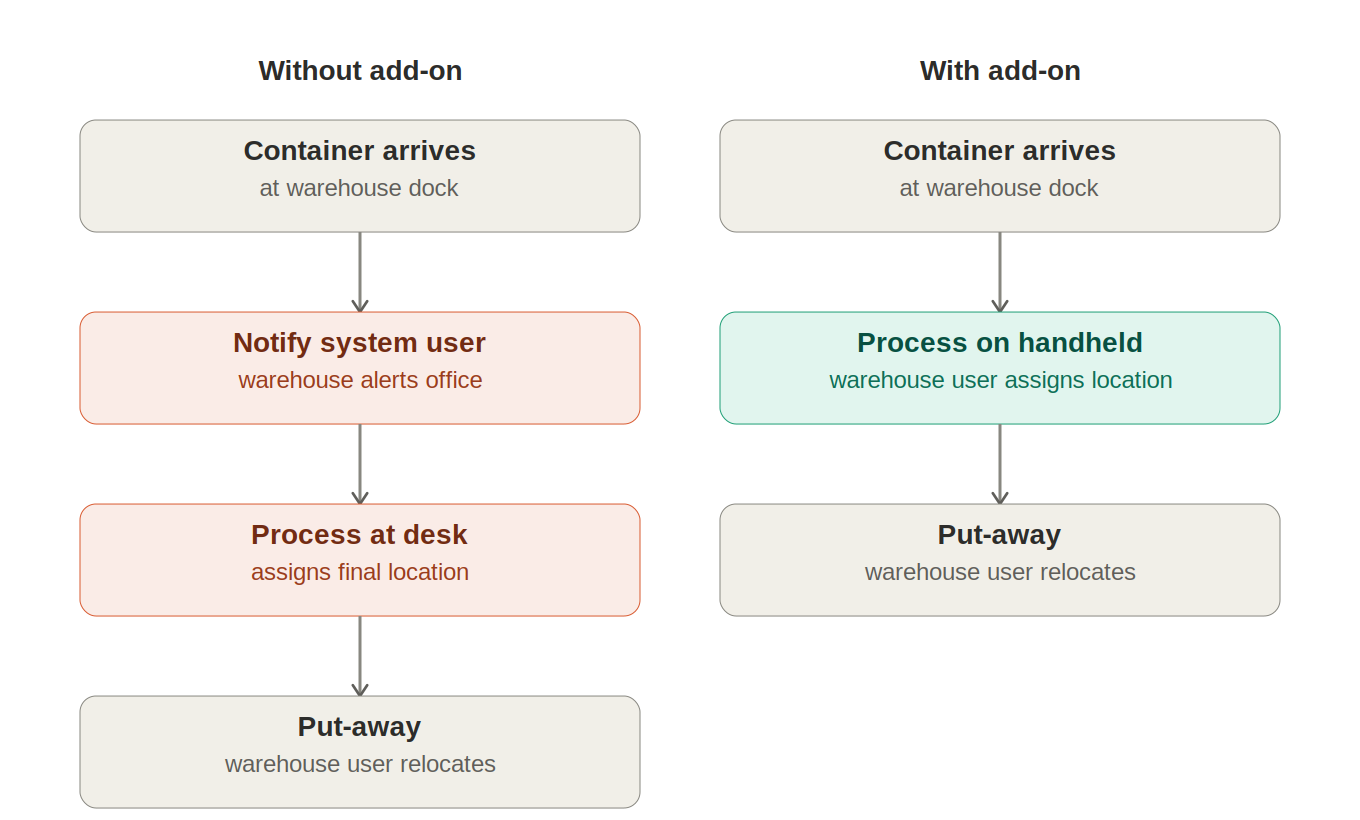
Here’s what receiving looks like today for most teams:
- A container arrives at the warehouse.
- A warehouse employee notifies a system user that it’s landed.
- That system user processes the container to its final location, from a computer.
- Only then can the warehouse employee generate and complete the put-away.
Notice how much of that depends on step 2 and step 3 happening quickly. If the system user is out, busy, or simply not on-site, the container sits. Inventory that’s already arrived still isn’t available to anyone downstream, and if it’s sitting in a rented container past its free time, that delay starts costing you.
With our Warehouse Insight add-on for the Freight Container Receiving Management app, that dependency disappears. A warehouse employee can now process the freight container to its final location directly from the same handheld scanner they already use for receiving, put-away, and other warehouse activities inside Warehouse Insight. No notification step. No waiting for someone else to be available. The container goes straight from “arrived” to “assigned to a location” to “put away,” all from the floor.
Why This Matters
You want your inventory available the moment it physically lands, not whenever someone gets around to processing it. When a purchasing manager is tracking a time-sensitive shipment, or a warehouse manager is trying to keep the dock clear for the next container, every hour spent waiting on a desk-based step is an hour working against you.
This matters even more if your warehouse operates remotely from your office, or across multiple sites. Without this add-on, you’re effectively tying your receiving speed to whoever happens to be at a keyboard. With it, receiving keeps pace with your dock, not your office hours.
Conclusion
This add-on doesn’t change how Freight Container Receiving Management or Warehouse Insight work under the hood. You’re still managing containers, contents, and final locations the same way. What changes is who can do it, and from where. The step that used to require a user at a desk can now be done by whoever’s already standing at the container with a scanner in hand.
As more warehouses run lean and more teams manage inventory across multiple locations, that kind of flexibility isn’t optional anymore. Receiving shouldn’t stall just because the right person isn’t at their desk.
If you’re running Warehouse Insight and want to see how this add-on fits into your setup, reach out to us. We’re happy to answer any questions or walk you through it.
