
Overview
If you’ve ever managed prepayments in Dynamics 365 Business Central, you already know the standard process is a hassle.
One of the most common frustrations we hear from accounting teams isn’t about creating prepayment invoices. The invoice itself takes seconds. Managing everything around it takes hours.
In the real world, payment agreements are flexible. You agree on fixed-dollar milestones, orders change over time, and shipments happen in parts.
But Business Central assumes your prepayments always follow rigid, line-level percentages. When a customer wants a fixed-amount deposit, you’re stuck calculating those percentages by hand. When an order changes, you have to issue credit memos, adjust lines, and rebuild invoices from scratch.
None of this extra work helps move the order forward. Together, it turns a simple payment into a heavy, endless workload, or forces you out of BC into spreadsheets just to keep track. Either way, the work never really disappears. It simply moves somewhere else.
Managing prepayments shouldn’t require that much effort.
The Simple Fix
What if a prepayment simply followed the agreement you made with your customer?
That’s why we built the Progress Payments Invoicing app for Business Central – A Better Way to Manage Prepayments.
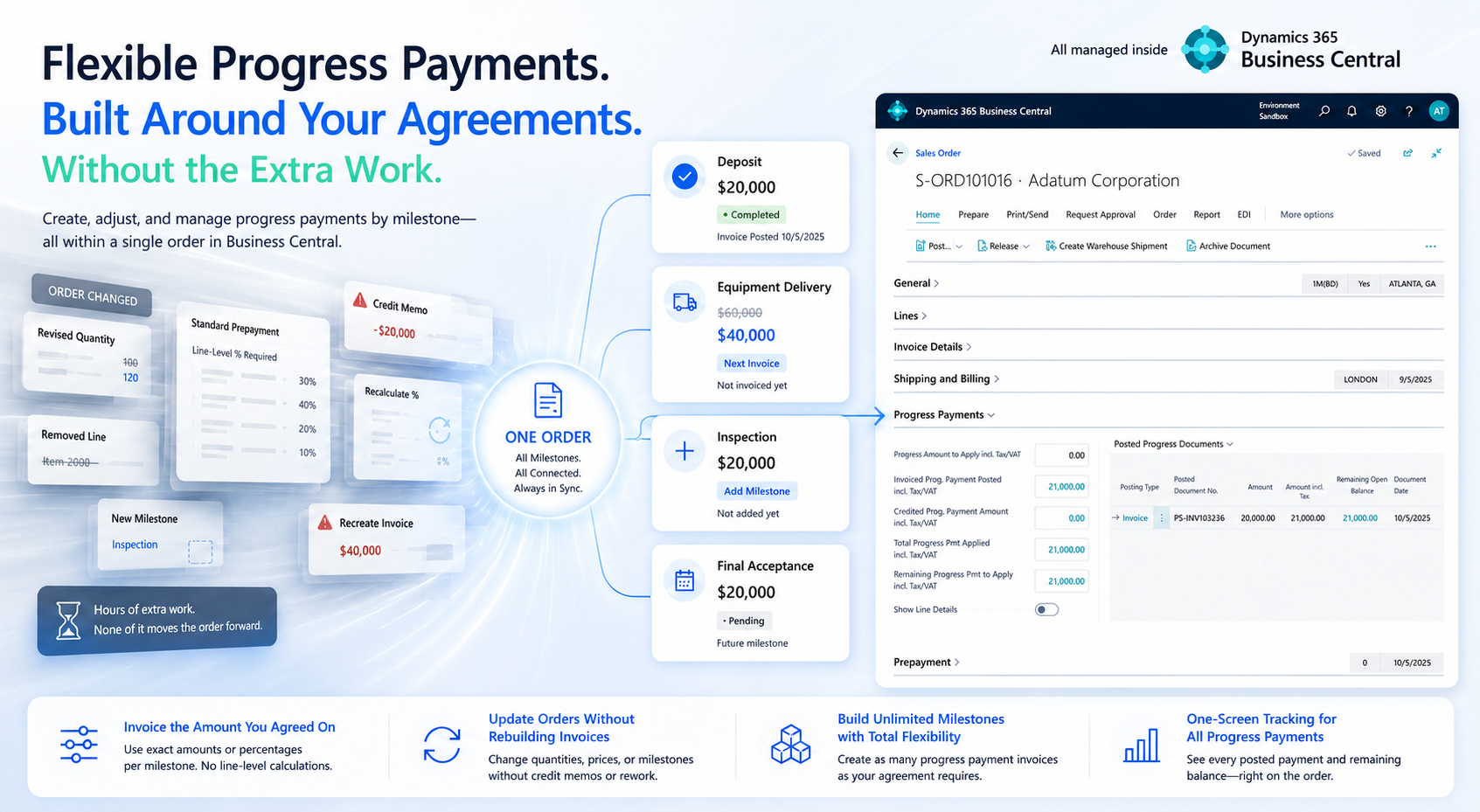
A Better Way to Manage Prepayments
- Invoice the Amount You Agreed On
Set specific amounts for each payment milestone based on your contract. No line-level percentage calculations. No guessing or trial and error. Just create the payment by order and move on. - Update Orders Without Rebuilding Invoices
Change quantities, prices, payment milestones, or order lines without reversing completed transactions, issuing prepayment credit memos, or rebuilding invoices. Routine changes stay routine. A minor order update never messes up your books. - Build Unlimited Milestones with Total Flexibility
Create as many progress payment invoices as your agreement requires on both Sales and Purchase documents. Easily apply prior payments to future invoices under the same order, matching your payment schedule to your contract. - One-Screen Tracking for All Progress Payments
Monitor complete progress payments, billed milestones, and open balances directly on the Order page. Every payment stays connected, so you never have to track or match payments by hand in Excel.
Watch the full demo and see how it works inside Business Central:
Conclusion
What changes now?
- Simplified process
- Full flexibility
- One-screen tracking
Less administration. More business.
Learn more about our Progress Payments Invoicing app and see how it can simplify prepayments for your team.
